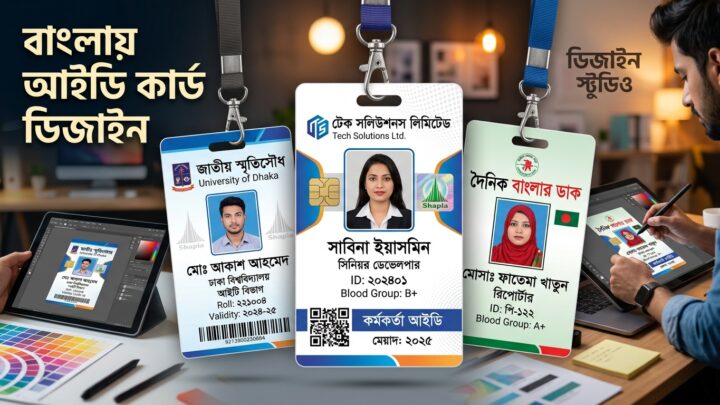
An ID card maker is any tool that lets you lay out a card, drop in a photo and a few details, and export something you can print or share. Plenty of them exist online, and they are genuinely convenient — but it helps to know what you are getting before you start typing your details into one.
What an online ID card maker actually does
Almost every tool in this category follows the same shape:
- You pick a template with a fixed layout.
- You replace the placeholder text with your own details.
- You upload a photo.
- You export the result as an image or a PDF.
That is the whole workflow. The differences between tools show up in the details: how many templates there are, whether you can nudge elements around, what resolution the export comes out at, and what the tool does with the data you typed.
Questions worth asking before you commit
Where do my details go?
Some tools render the card entirely in your browser, so nothing leaves your device. Others send everything to a server to do the rendering, which means your name, photo and contact details are stored somewhere. Neither approach is automatically wrong, but you should know which one you are using — especially if the card is for someone else.
What resolution does the export have?
A card that looks fine on screen can print badly. For anything that goes to a printer, you want the export to be at least 300 dpi at the physical card size. For a standard credit-card-sized badge that is roughly 1011 × 638 pixels. If a tool can only give you a 400-pixel-wide image, it is a screen graphic, not a printable card.
Can you export a vector or PDF file?
A PDF is the safer format for print shops because it keeps the page size explicit. A PNG is perfectly good for digital distribution: email, chat, a staff intranet.
What is the card actually being used for?
This one matters most. An online tool is a fine way to make an internal staff badge, a club membership card or an event pass. It is not a way to produce anything official, and no legitimate tool will pretend otherwise.
A quick reality check on “official” ID cards
Government-issued identity documents — national identity cards, passports, driving licences — are produced by the issuing authority on equipment you do not have access to, and printing your own version of one is a criminal offence in most countries. Any service claiming it can generate a “real” government ID is either misleading you or breaking the law.
What you can make legitimately:
- Employee and contractor badges for your own organisation.
- Student cards for a school, college or training course you run.
- Membership and loyalty cards for a club, gym or society.
- Event passes, volunteer cards and backstage passes.
Where Cutle fits in
Cutle is the website for ID Card Maker, an Android app that handles exactly this job. You choose a template, add a photo and your details, and export the finished card as a PNG or a PDF. It also works offline, which is useful when you are setting up badges at a venue with unreliable Wi-Fi.
The browser-based editor for cutle.co is still in development. We would rather tell you that plainly than show you a demo that quietly does nothing, so for now the app is the way to create a card.
Summary
Online ID card makers are convenient, and for organisational cards they are usually the fastest route from “we need badges” to “the badges are printed”. Check where your data goes, check the export resolution, and stay well clear of anything that claims to produce official documents.